


Download Discord – free chat, voice, video, and screen‑share app
Overview
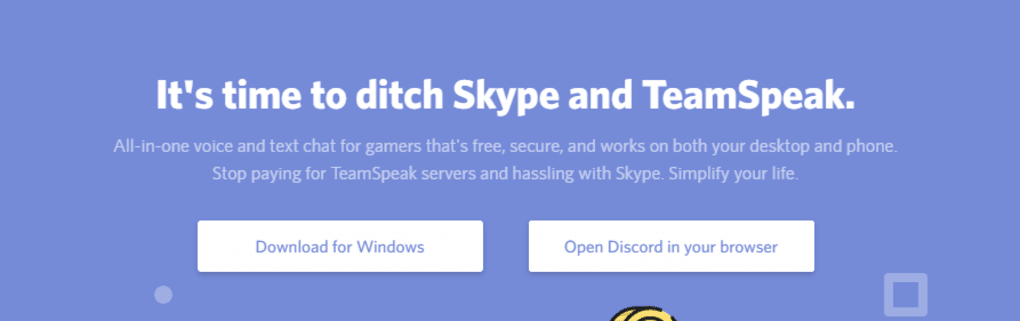
Discord is a free, cross‑platform communication tool that started as a haven for gamers and has since blossomed into a universal hub for communities of all shapes—artists, language learners, study groups, and even families. The application combines instant messaging, voice calls, video chat, and screen‑sharing into a single, intuitive interface that works on Windows, macOS, Linux, Android, and iOS. Unlike older voice‑chat services such as TeamSpeak or Skype, Discord offers a modern UI reminiscent of Slack, with server‑based organization, customizable channels, and powerful moderation tools.
Its “Community Onboarding” feature streamlines the welcome process for new members, while the built‑in “Keep me safe” scanner protects users from explicit content. Whether you’re coordinating a raid in a multiplayer game, hosting a virtual art workshop, or simply staying in touch with friends across the globe, Discord delivers a secure, low‑latency experience that feels both familiar and fresh. The platform’s free tier already includes unlimited text and voice channels, high‑quality video, and up to 25 Mbps screen‑share, while the optional Nitro subscription unlocks higher upload limits, animated emojis, and a personalized Discord tag.
Because it runs on the cloud, updates are automatic and frequent, ensuring that security patches and feature enhancements arrive without user intervention. In short, Discord is a versatile, secure, and constantly evolving communication app that bridges the gap between casual chat and professional collaboration.
Core Features
- Server & Channel Architecture: Organize conversations into servers, each with its own set of text and voice channels.
- High‑Quality Voice & Video: Low‑latency voice chat, up to 1080p video calls, and screen‑share for presentations or gaming streams.
- Rich Media Support: Send images, GIFs, emojis, and file attachments up to 8 MB (or 100 MB with Nitro).
- Community Onboarding: Guided welcome flow that helps newcomers select roles and channels automatically.
- Moderation Toolkit: Roles, permissions, audit logs, and automated bots to keep large servers safe.
- Privacy & Safety Controls: “Keep me safe” scanning, granular friend‑request settings, and easy blocking.
- Cross‑Platform Sync: Seamless experience across Windows, macOS, Linux, Android, and iOS.
- Integrations & Bots: Connect with Twitch, YouTube, GitHub, and countless third‑party bots for music, games, and utilities.
- Voice Messages: Record and send short voice clips on mobile, with Krisp noise‑cancellation for crystal‑clear audio.
- Free Core Service + Nitro Upgrade: Unlimited servers and channels for free; Nitro adds perks like animated emojis and server boosts.
Installation & Usage Guide
Getting started with Discord is straightforward. Visit the official download page and select the installer for your operating system—Windows (.exe), macOS (.dmg), Linux (deb or snap), Android (Google Play), or iOS (App Store). After the file downloads, run the installer and follow the on‑screen prompts; the process typically takes less than two minutes. Once installed, launch Discord and create a free account using an email address or phone number. If you already have an account, simply log in.
The main interface is divided into three panels. The left sidebar displays your server list and quick‑access buttons such as “Home,” “Explore Public Servers,” and “Add a Server.” Click the plus icon (+) to create a new server or join an existing one via an invite link. Each server contains channels—text channels for chat and voice channels for real‑time audio or video. Selecting a channel opens its conversation view in the central pane, where you can type messages, attach files, or react with emojis. Voice channels work by simply clicking the channel name; your microphone activates automatically, and you can toggle video or screen‑share using the icons at the bottom of the window.
For mobile users, the layout is streamlined: swipe from the left to reveal your server list, tap a channel to open it, and use the microphone, camera, or screen‑share buttons at the bottom. Discord’s built‑in voice‑message feature allows you to hold the microphone icon in a DM or group chat, slide up to lock for hands‑free recording, and release to send. On desktop, the “/” command bar lets you access slash commands for quick actions like creating polls or launching bots.
To keep your experience secure, head to User Settings > Privacy & Safety and enable “Keep me safe” scanning. Adjust who can send you friend requests (Everyone, Friends of Friends, or Server Members) and toggle “Allow direct messages from server members” as needed. For larger communities, assign moderator roles and configure auto‑moderation bots to filter profanity or spam. Finally, explore the “Nitro” tab if you want to boost a server, use animated emojis, or increase upload limits. With these steps, you’ll be fully equipped to navigate Discord’s rich feature set, whether you’re hosting a game night, running a study group, or just catching up with friends.
Compatibility, Pros & Cons
Discord supports a wide range of platforms. On desktop, the official client runs on Windows 10/11 (32‑bit & 64‑bit), macOS 10.13 or later, and major Linux distributions (Ubuntu, Fedora, Debian, Arch). For mobile, the app is available on Android 5.0+ and iOS 13+. Web users can also access Discord through any modern browser (Chrome, Edge, Firefox, Safari) without installing software, though the desktop client offers superior performance and additional features such as hardware‑accelerated video and custom keybindings.
Pros
- Free core service with robust voice, video, and text capabilities.
- Cross‑platform sync ensures a consistent experience on PC, Mac, Linux, Android, and iOS.
- Highly customizable servers, roles, and channel permissions.
- Strong moderation tools and built‑in safety features protect users, especially younger audiences.
- Frequent updates keep the app secure and introduce new functionalities.
- Rich integration ecosystem with bots, streaming services, and third‑party apps.
- Low latency voice chat ideal for gaming and real‑time collaboration.
- Screen‑share and video chat are free and support high‑resolution streams.
Cons
- Large servers can become noisy; managing notifications may require fine‑tuning.
- Free tier limits file upload size to 8 MB (100 MB with Nitro).
- Some advanced moderation features require third‑party bots or paid Nitro boosts.
- Occasional UI changes may confuse long‑time users.
- Voice‑chat quality depends on internet bandwidth; poor connections can cause lag.
Frequently Asked Questions & Conclusion
Is Discord safe for children under 13?
Discord’s official minimum age is 13, complying with COPPA and local regulations. The platform includes “Keep me safe” automatic scanning of direct messages and offers granular privacy controls, but parents should still supervise younger users and configure friend‑request settings to limit exposure.
Can I use Discord without creating an account?
No. Discord requires a registered account to join servers, send messages, or make voice/video calls. However, account creation is quick, free, and only needs an email address or phone number.
What is the difference between free Discord and Discord Nitro?
The free version offers unlimited servers, text, voice, and video with an 8 MB upload limit. Nitro (currently $9.99/month or $99.99/year) adds higher upload caps (100 MB), animated emojis, custom tags, server boosts (which improve audio quality and add vanity URLs), and a larger library of emojis.
How does Discord’s screen‑share work on mobile?
On Android and iOS, open a voice channel, tap the “Screen Share” button, and grant the app permission to capture your screen. You can share apps, games, or the entire device display. The shared view appears in real time for all participants in the voice channel.
Can I integrate Discord with other services like Twitch or GitHub?
Yes. Discord offers native integrations for Twitch, YouTube, and Steam, as well as webhook support for GitHub, GitLab, and many other services. These integrations can post updates, alerts, or custom messages directly into designated channels.
In summary, Discord stands out as a free, secure, and highly adaptable communication platform that serves gamers, creators, and everyday users alike. Its blend of voice, video, text, and screen‑share capabilities, combined with powerful moderation and privacy tools, makes it a top choice for anyone looking to build vibrant online communities. Ready to join the conversation? Download Discord now and start creating your own server, exploring public communities, or simply staying in touch with friends—all without spending a dime.







